For iPhone
Scroll less.Live a little more.
Pick the apps that pull you in, once. Liberio asks you to pause before every open, locks them after your daily time, and keeps them locked through the night.
- No account
- Stays on your iPhone
- No ads or tracking
How it works
One choice, then Liberio does the rest.
You pick your apps with Apple’s own picker. From then on, three things happen.
Every time
A pause before every open
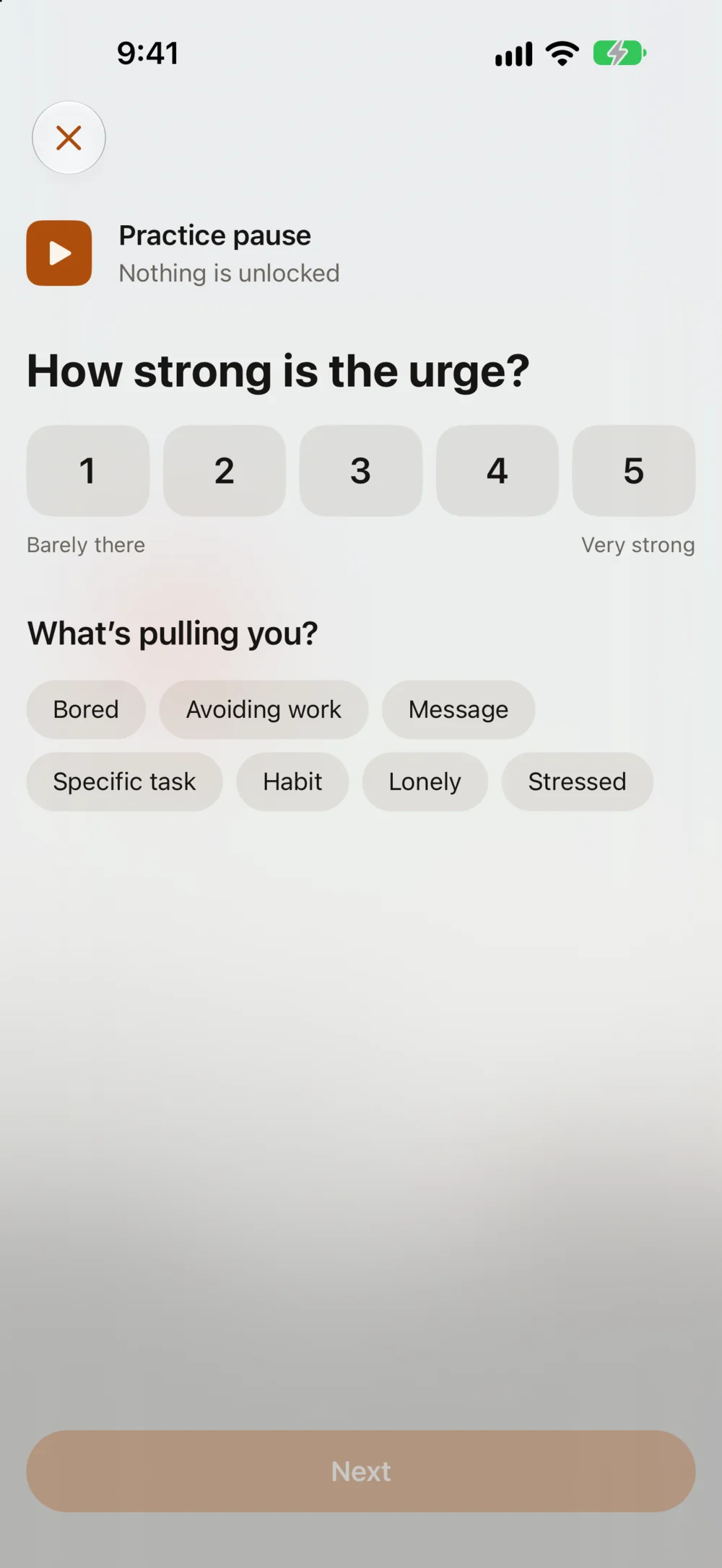
Open one of your apps and Liberio asks you to pause first: how strong is the urge, what’s pulling you, then a short game. Walk away, or write your reason and go in. You can always still go in.
After your daily time
A limit that locks
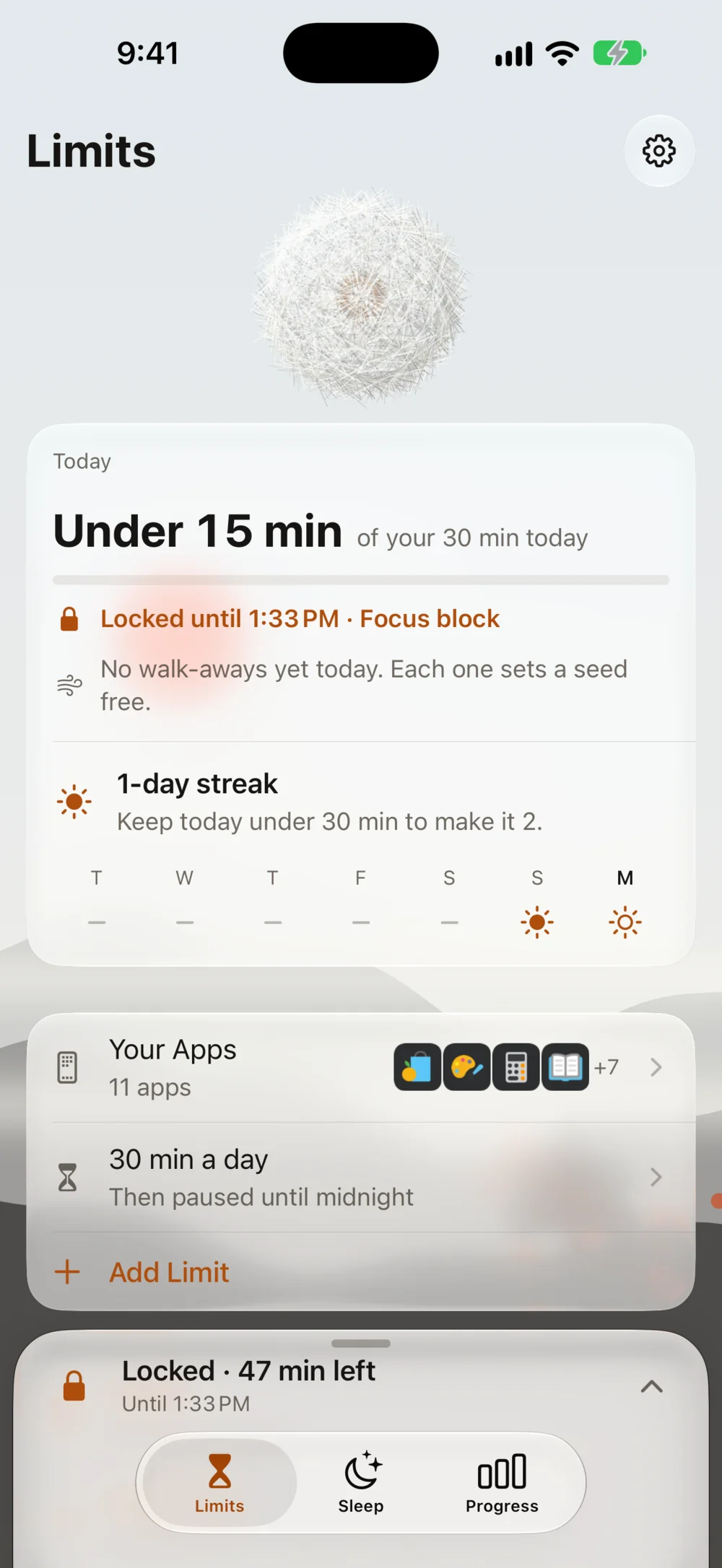
Give your apps a daily or hourly time. When it’s used up they lock until midnight, and Today shows where you stand: time on your apps, what’s locked now, your walk-aways and your streak.
At night
Locked until morning
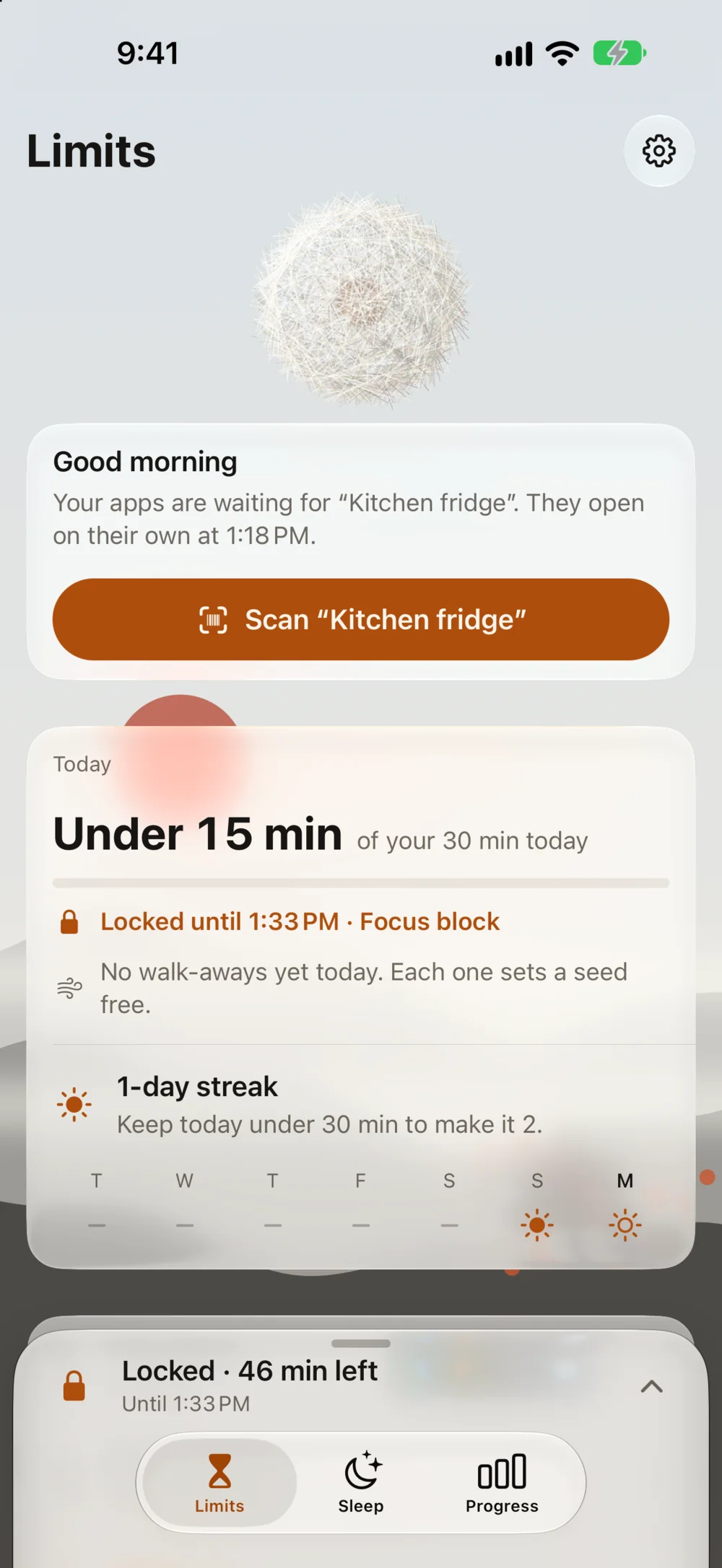
At bedtime your apps lock until morning. With a morning key they stay locked until you get up and scan it, or open on their own an hour after you wake.
When you need it
Focus now. Only your key ends it early.
Block Now
Need focus now? Lock your apps right away, for as long as you choose.
Keys
End a block early only by scanning the barcode, QR code or NFC tag you picked. Put it somewhere you have to walk to.
Schedules
Work hours, Always Locked, and blocks booked ahead. A block that has started can’t be closed or shortened.
Separate lists
Each list has its own limits: YouTube 2 hours a day, Instagram Always Locked.
The pause
A short game, while the urge passes.
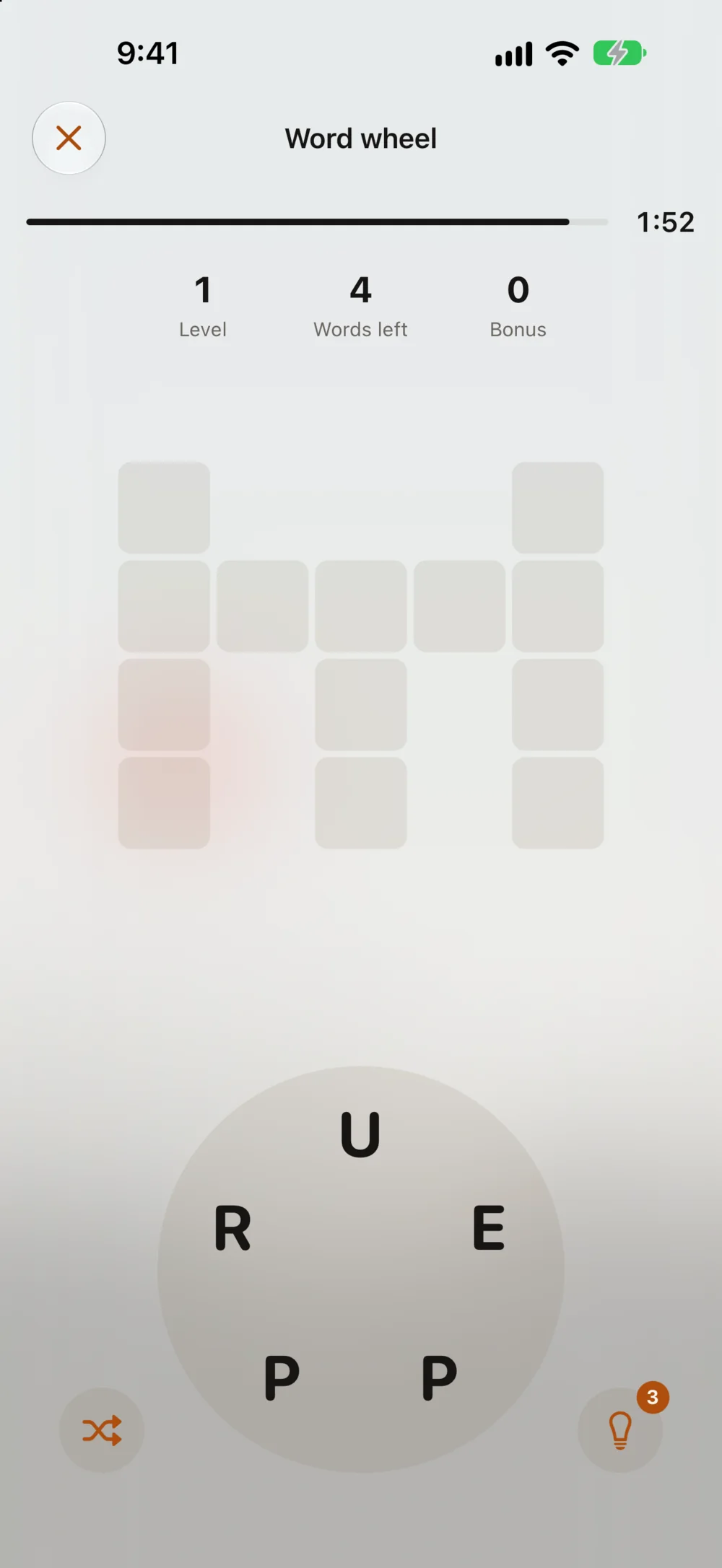
Urges come and go. Each pause gives you a quick game while you decide, and Liberio learns which games help you walk away.
- Word wheel
- Snake
- Block-fit
- Word guess
- 4-7-8 breathing
Sleep
Put the phone down at bedtime.
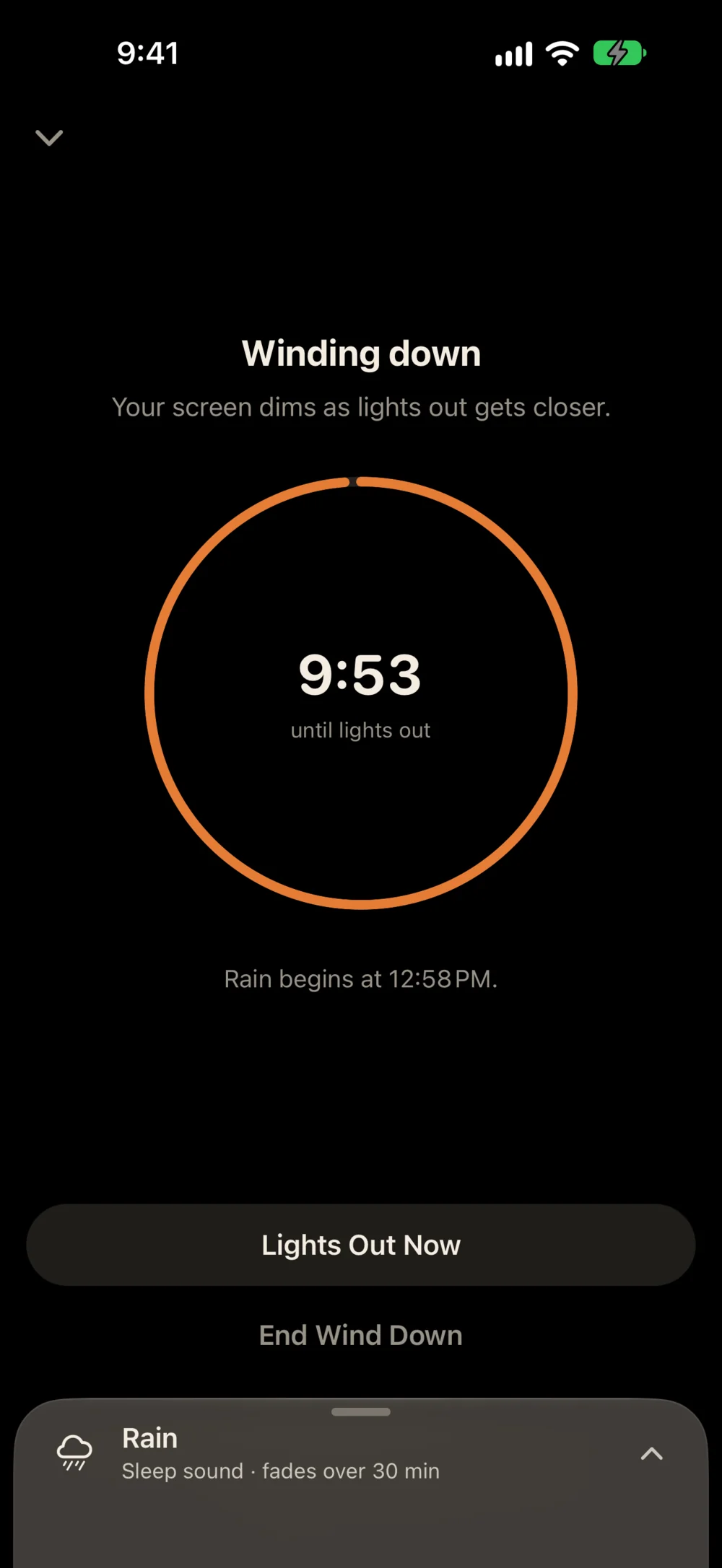
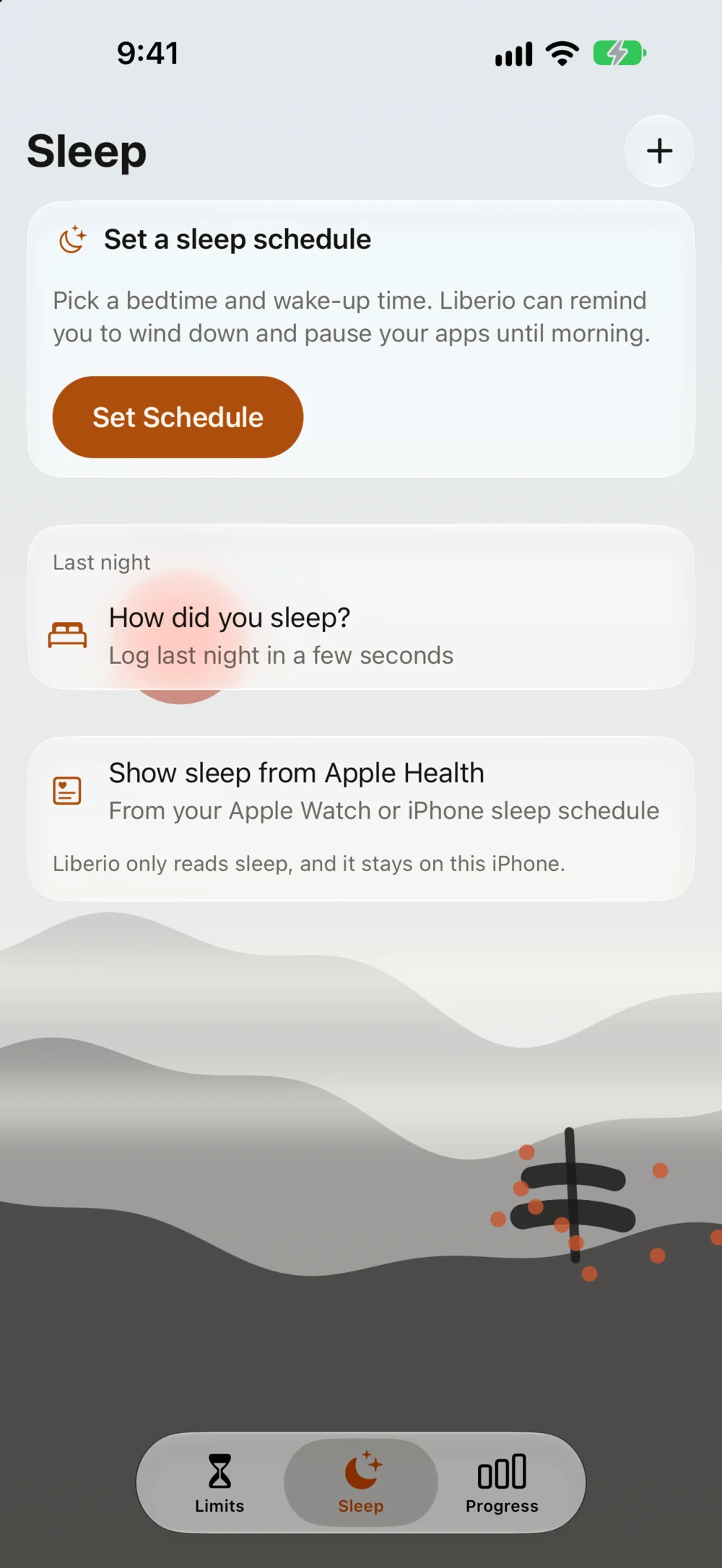
Liberio winds you down, locks your apps at lights out, and keeps them locked until morning.
- A bedtime dial, with bedtimes planned around 90-minute sleep cycles
- A wind-down: the screen dims as lights out gets closer
- At lights out your apps lock, and rain, ocean, brown noise or your own sound slowly fades away
- A morning key: the night ends when you get up and scan it
- Allow 5-minute unlocks for one app at a time, if you need them
- A locked schedule: changing it at night asks you to write why
- Your sleep from Apple Health, and a quick morning sleep log
Your sky
See how today is going, at a glance.
Behind every screen is your sky, with Puff the dandelion. Time on your apps brings fog. Each time you walk away, a seed is set free. Days under your daily time grow your streak.
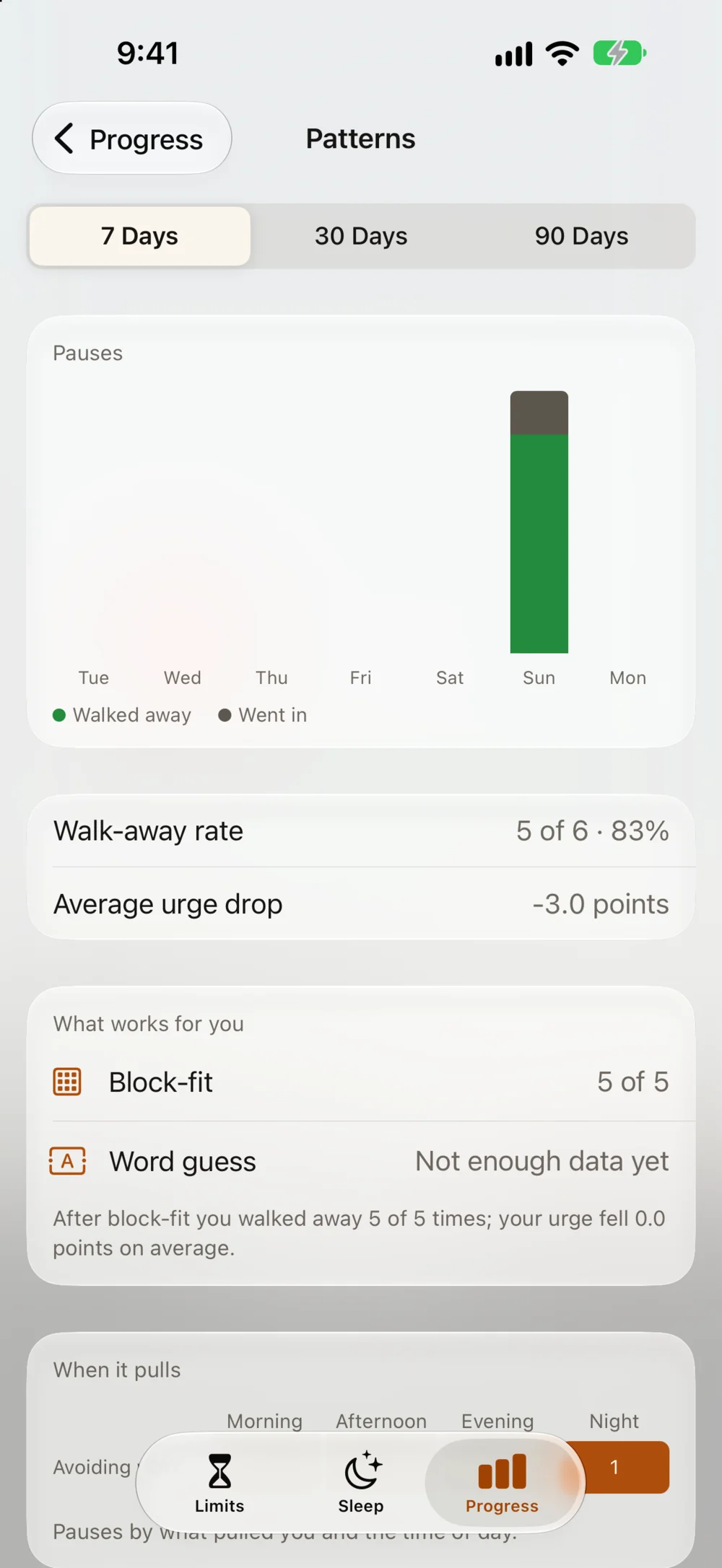
Your progress looks back on any day, week, month or year: your walk-aways, how much the urge dropped, which games work for you, and when it pulls hardest.
Privacy
What you tell Liberio stays on your iPhone.
Your reasons are personal. Liberio keeps them on your phone and nowhere else. Read the privacy policy.
No account
There’s nothing to sign up for.
Stays on your iPhone
Liberio has no servers. Your reasons, limits, progress and sleep logs never leave your phone.
App names stay private
Apple’s Screen Time keeps which apps you picked. Liberio only sees anonymous tokens.
Keys stay private
Liberio keeps a fingerprint of your barcode, QR code or NFC tag, never the code itself.
Sleep stays private
Liberio only reads sleep from Apple Health, never writes to it, and never shares it.
No ads, no tracking
No ads, no analytics, no crash-reporting tools, and no tracking across apps.
Pricing
Block Now is free. Liberio Pro is everything else.
Try Liberio Pro free for 14 days. Liberio can remind you 1, 2 or 3 days before you’re charged.
Free
$0
- Choose your apps
- Block Now, for as long as you like
Liberio Pro
Yearly and monthly start with a 14-day free trial and renew automatically until you cancel. Prices in US dollars; the App Store shows yours.
- The pause before every open, with its games
- Daily and hourly limits
- Schedules: work hours, Always Locked, blocks booked ahead
- Separate lists
- Sleep: bedtime lock, wind-down, morning key
- Keys: barcode, QR code or NFC tag
- Your progress, by day, week, month or year
- Your sky: Puff, seeds and a streak
How does Liberio lock apps?
With Apple’s Screen Time. You give Liberio Screen Time access once and pick your apps with Apple’s own picker. When an app is paused or locked, iOS shows Liberio’s screen in its place, even when Liberio itself isn’t open.
What’s the difference between paused and locked?
Paused means you can still get in, after the pause: rate the urge, play a short game, and write your reason. Locked means you can’t get in until it ends: when the time is up, at the end of a block, or when you scan your key.
What’s a key?
A barcode, QR code or NFC tag you pick, like the barcode on a cereal box or a tag on the fridge. Scanning it is the only way to end a block early, or to end the night before your apps open on their own.
What if I lose my key?
A block always ends at its end time, and on a sleep night your apps open on their own an hour after your wake-up time. You can register a new key in Settings for the next one.
Can Liberio see which apps I use?
No. Apple’s Screen Time gives Liberio anonymous tokens for the apps you pick, not their names, and time on your apps is counted by iOS on your iPhone. Nothing is sent to us.
What’s free, and what comes with Liberio Pro?
Block Now is free, as long as you like. Everything else comes with Liberio Pro: $11.99 a year or $1.99 a month, both with a 14-day free trial, or $19.99 once. Liberio can remind you 1, 2 or 3 days before the trial ends or the subscription renews.
Do I need an account?
No. Liberio has no accounts and no servers. Liberio Pro is checked with the App Store under an anonymous ID.
Which iPhones does it work on?
Any iPhone with iOS 17 or later.